
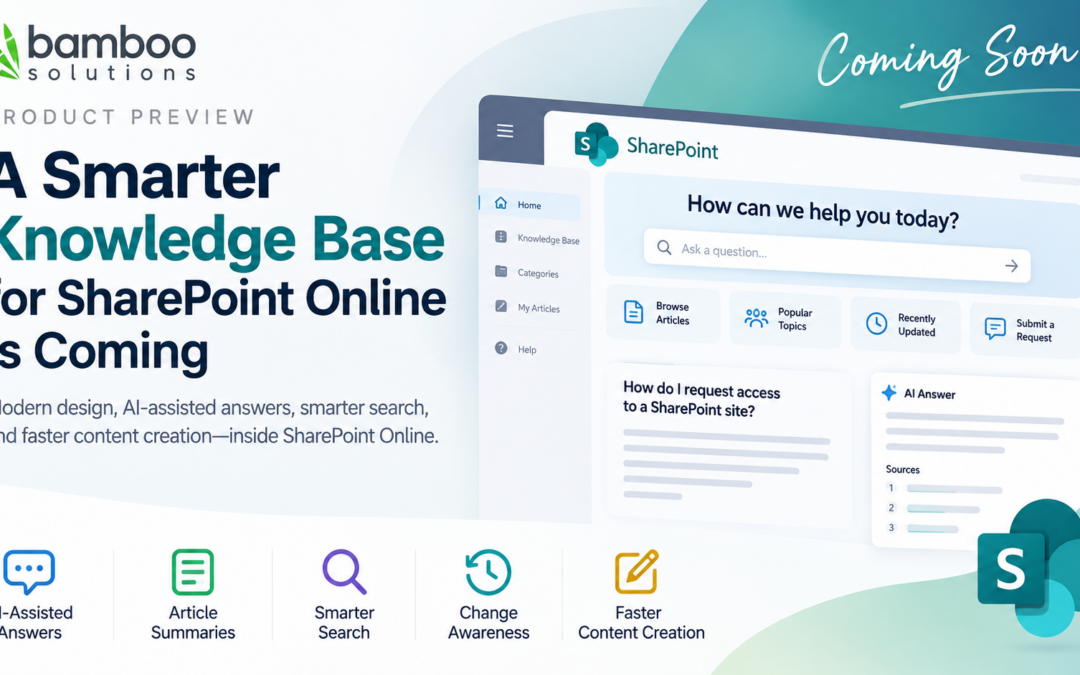
A Smarter Knowledge Base for SharePoint Online Is Coming
Modern design, AI-assisted answers, smarter search, and faster content creation—inside SharePoint Online.
SharePoint Online is an excellent platform for collaboration and content management—but organizations still struggle to turn it into a complete, intuitive knowledge base.
SharePoint pages, lists, document libraries, and search provide useful building blocks. Creating a polished SharePoint Online knowledge base, however, often requires substantial customization, multiple web parts, and ongoing administration. Even then, employees may have difficulty finding the right answer quickly.
Bamboo Solutions is working on a major update to our Knowledge Base product designed to close that gap. The new experience will combine a modern interface with AI-assisted search, content summaries, article management, and content creation. Our goal is straightforward: help organizations create an affordable, practical, and easy-to-manage knowledge base directly in SharePoint Online.
Ask Questions and Get Answers Grounded in Your Content
Traditional keyword search makes users open several articles and piece together an answer themselves. The planned Knowledge Base experience introduces an AI-assisted Ask capability that helps users interact directly with an article.
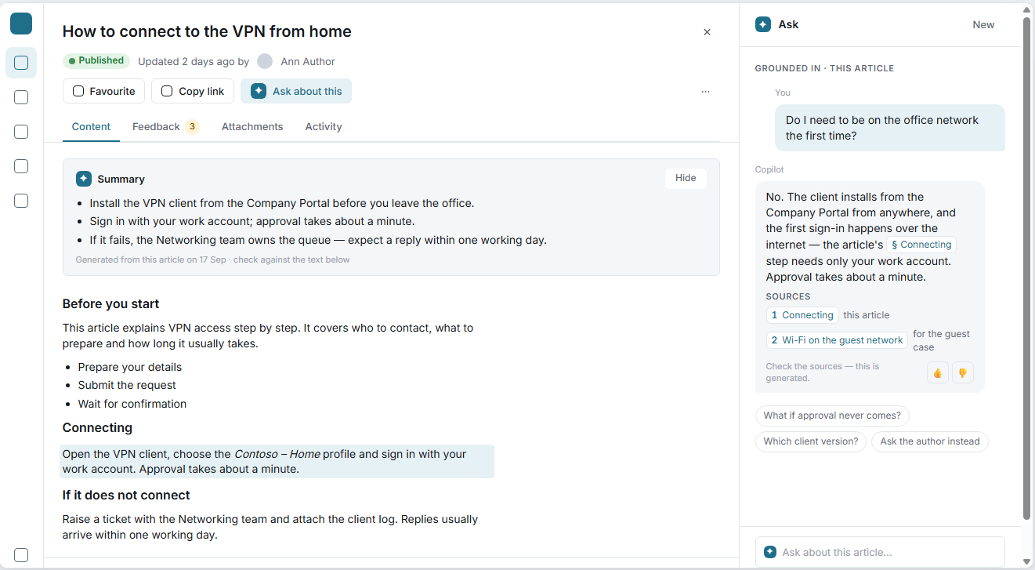
Concept wireframe: Ask a question within an article and review an answer grounded in cited content
Users will be able to ask a natural-language question and receive an answer grounded in the approved content of that article. The response can identify relevant sections and provide source references so the user can verify the information before acting.
- Questions and answers grounded in the selected article
- Direct references to supporting content
- Suggested follow-up questions
- User feedback on generated responses
- A path to ask the article author when more help is needed
This is not intended to replace subject-matter experts. It is designed to make the knowledge they have already documented easier to find and use.
Instant AI Generated Article Summaries
Long articles may contain the right answer, but employees do not always have time to read every paragraph. The updated article experience is expected to include concise, AI-generated summaries that highlight the most important points. Readers can quickly understand what an article covers before reviewing its complete instructions, requirements, or supporting information.
See What Changed Since Your Last Visit
Knowledge changes constantly. Procedures are updated, policies are revised, and old instructions become obsolete. Unfortunately, users may continue relying on information they remember from an earlier visit.
The new Knowledge Base experience is being designed to surface meaningful changes since a user’s last visit. Instead of expecting employees to compare versions manually, the product can call attention to recently updated guidance and content that may need review.
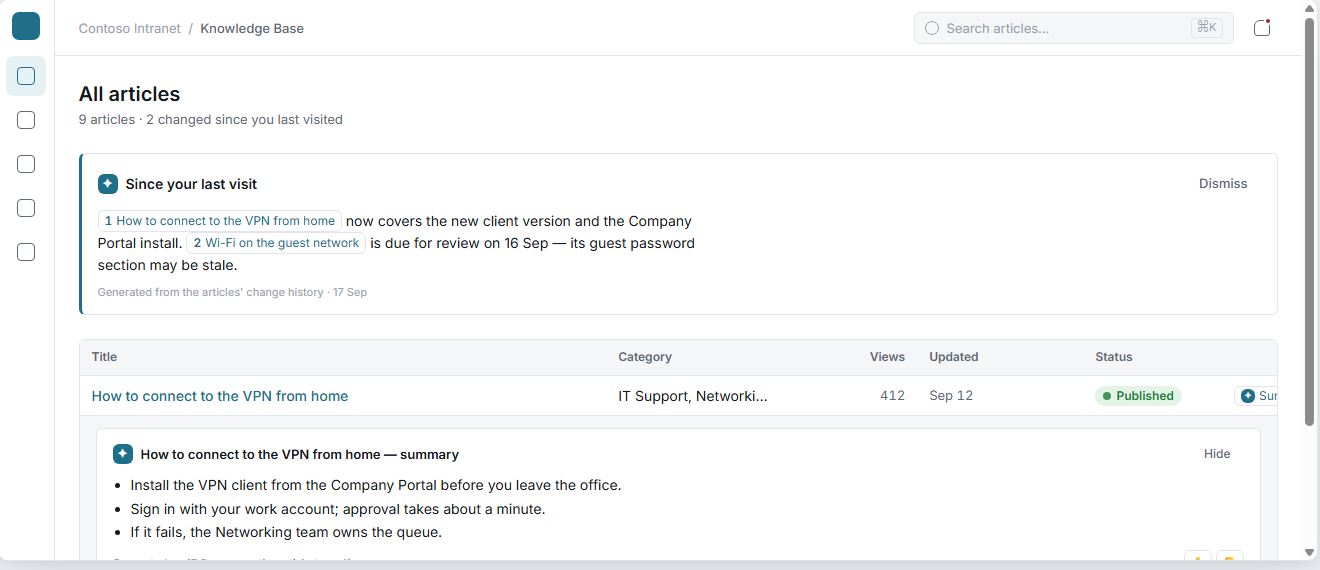
Concept wireframe: Highlight meaningful article changes and surface a concise summary from the article list.
- Increase awareness of policy and procedure changes
- Reduce reliance on outdated instructions
- Highlight articles approaching review dates
- Encourage employees to revisit important content
- Strengthen knowledge governance within SharePoint Online
Search by Asking a Real Question
Employees do not always know the exact title, category, or keywords used by the person who wrote an article. They know the question they need answered.
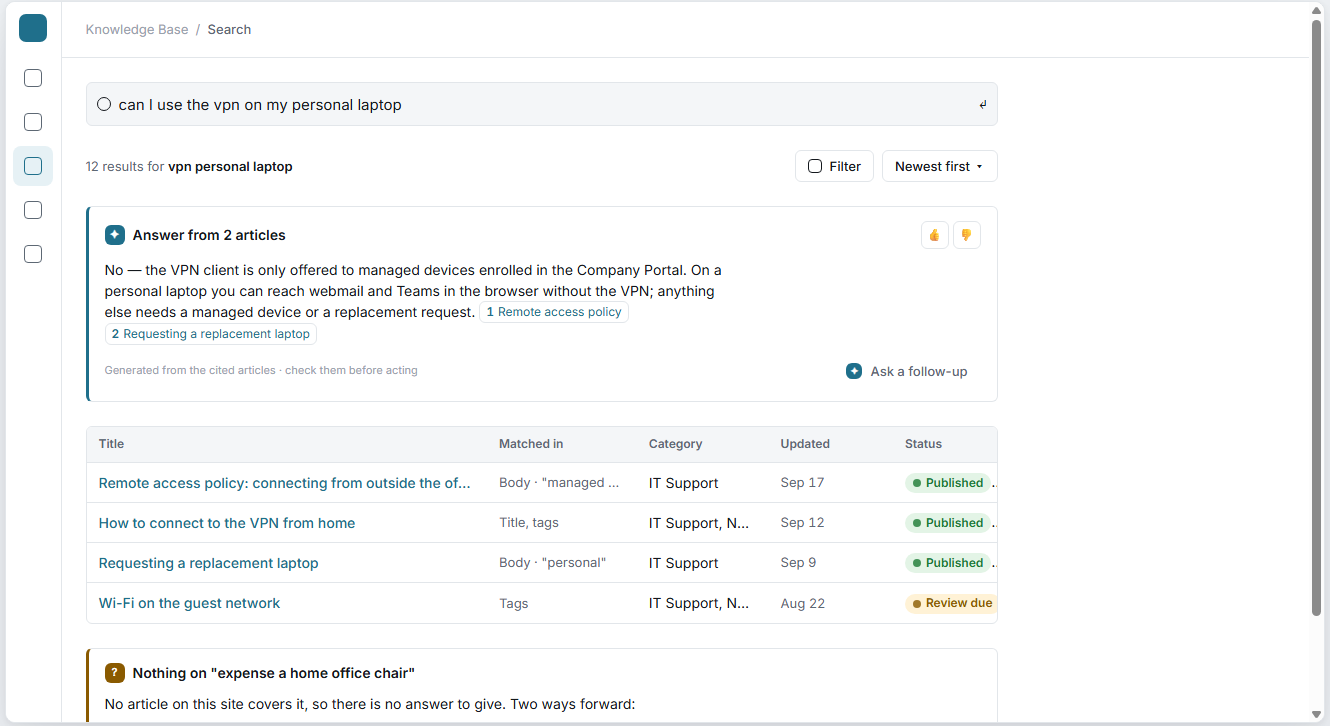
Concept wireframe: Natural-language search produces a consolidated answer with citations and supporting results.
The planned search experience allows a user to enter a question in ordinary language. The Knowledge Base can then search relevant approved articles, generate a consolidated answer, and cite the content used to produce it.
Users can still review traditional search results beneath the generated response, including where their terms matched, the article category, its last update, and its publishing status.
Just as importantly, the experience is designed to be transparent when the knowledge base does not contain an answer. Rather than inventing guidance, it can identify the content gap and offer a next step. This provides useful insight for knowledge managers while helping users understand when a question requires human assistance.
Turn Existing PDFs into Knowledge Articles
Many organizations already have valuable knowledge—but it is buried in PDFs, policy manuals, process documents, and operating procedures.
One of the most exciting concepts in the new design is AI-assisted PDF import. The proposed workflow will allow a knowledge manager to upload an existing PDF and receive a suggested article structure generated from its content.
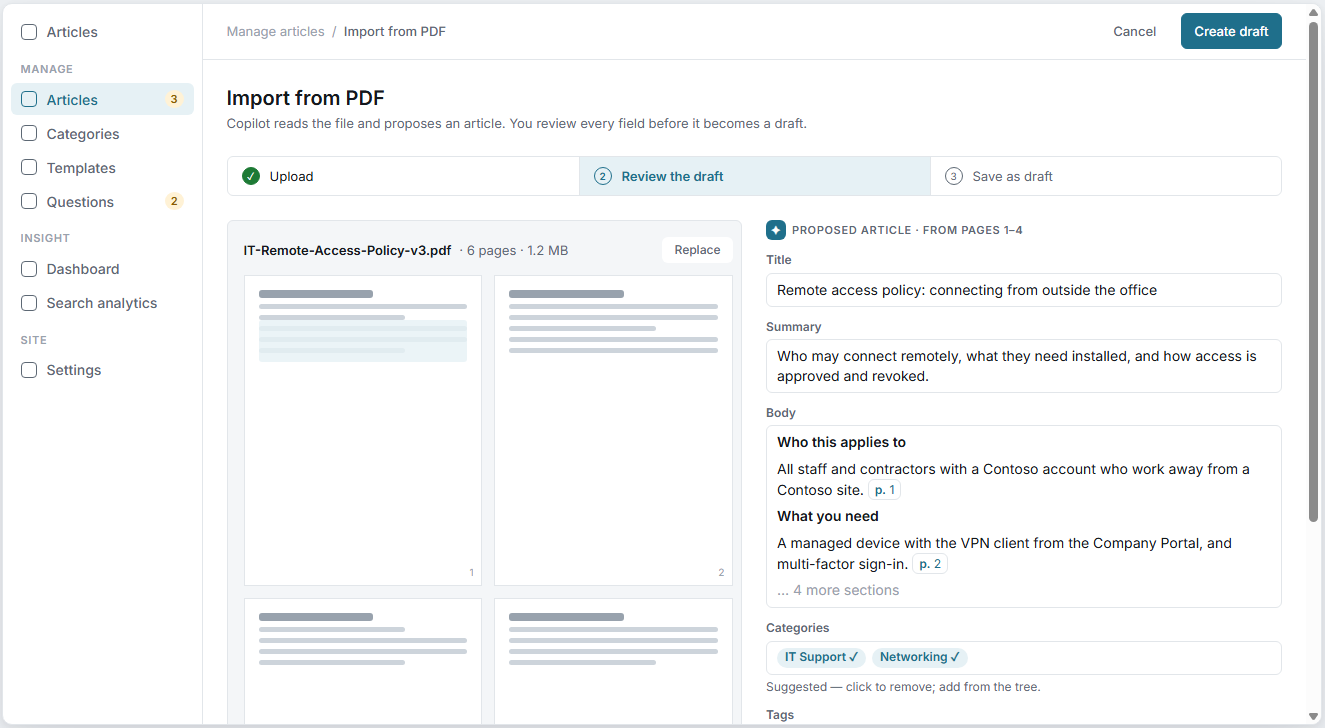
Concept wireframe: Import a PDF, review AI-proposed article content, and retain human approval before creating a draft.
Built for Knowledge Managers and the People They Support
A successful knowledge base needs more than an attractive article page. Administrators and content owners also need tools for organizing, reviewing, and improving the information employees depend on.
The new design explores a unified management experience for:
- Articles, categories, and templates
- Unanswered questions
- Review and publishing workflows
- Search analytics and usage insights
- Knowledge Base settings
Search analytics and unanswered questions can help reveal what employees are looking for—and where the organization’s documentation still falls short.
A Purpose Built Knowledge Base for SharePoint Online
Organizations frequently search for a SharePoint knowledge base template, SharePoint Online help center, or AI knowledge base for Microsoft 365, only to discover that SharePoint does not provide a complete, purpose-built knowledge base experience out of the box.
Building one internally can involve custom development, third-party AI services, search configuration, interface design, security planning, and long-term maintenance. Bamboo Knowledge Base is designed to provide that missing application layer while allowing organizations to continue benefiting from their investment in Microsoft 365 and SharePoint Online.
Our priorities for this upgrade include:
- A clean, modern SharePoint Online experience
- Fast access to accurate organizational knowledge
- AI assistance grounded in approved content
- Practical tools for authors and knowledge managers
- Transparent source references
- Straightforward deployment and administration
- High value at an affordable subscription price
Enterprise Knowledge Management at an Affordable Price
Powerful knowledge management technology should not be limited to organizations with large software and consulting budgets.
Bamboo Solutions has spent more than two decades helping organizations extend SharePoint with practical business applications. Our affordable subscription program makes it possible to add high-value functionality to SharePoint Online without the cost and complexity associated with many standalone knowledge management platforms.
The upcoming Knowledge Base upgrade continues that approach: a focused solution, built for SharePoint, offered at a price that makes sense.
More to Come
These wireframes represent our current direction, and the finished product may differ as we continue design, development, and customer testing. Still, we could not wait to share an early look.
We are excited about the opportunity to bring modern design, natural-language search, AI-generated summaries, content-grounded answers, change awareness, and assisted content creation together in one SharePoint Online knowledge base solution.
If your organization is trying to build a knowledge base, employee help center, IT support library, policy portal, or searchable repository in SharePoint Online, we would love to hear about your requirements.